




robloxdb-logo
  • Home
    Home
  • All free Items
    All free Items
  • Catalog items
    Catalog items
  • Codes
    Codes
    • Promo codes
    • In game codes
  • Games
    Games
  • Music
    Music
  • Tools
    Tools
    • Color codes
    • Resources
  • Creators
    Creators
  •  
  • Academy
    Academy
  • RoBlog
    RoBlog
  • Guided Reads
    Guided Reads
  • Recommended
    Recommended
robloxdb-logo
en English
img-bg
contact-extlin-lg contact-extlin-md contact-extlin-sm
  1. Home
  2. All games
  3. The Lobby πŸ”Š
game-name
Play

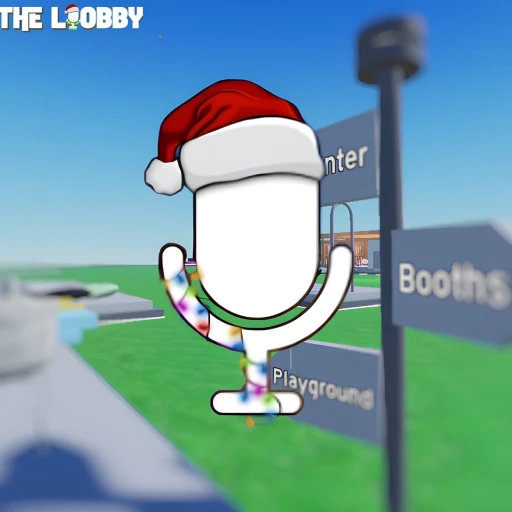
The Lobby πŸ”Š

By x8swifty


GenreAll

Server Size50

Players0

Favorites837

Visits7523

Game ID89975877069927

πŸ’¬ Classic hangout experience for spatial voice and voice chat πŸŽ™οΈ

πŸ’» Available on platforms: πŸ“±

-PC

-Phone

-Tablet

-VR

-Console

-Handheld

How do I enable voice chat?

- You must be 13 or older

- Go to your Roblox settings

- Verify your email and phone

- Click on the privacy tab and click "Enable Voice Chat"

- If you don't see the above option,

check again in a 7 days.

πŸŽ™οΈVoice chat is recommended for a better experience.

All ages


455029

Catalog items

33

Guided Reads

34891

Games

27531

Creators

robloxdb-logo

RobloxDB: Your Roblox assistant! Hub for guides, resources and news for players and creators. Discover, learn, enjoy.

Roblox and its various marks and logos are trademarks of Roblox Corporation. RobloxDB is not endorsed, sponsored, or affiliated with Roblox Corporation. Copyright Β© RobloxDB 2024.

Links
  • Codes
  • Games
  • Music
  • Tools
  • Creators
  • RoBlog
  • Guided Reads
  • Academy
Company
  • About Us
  • Privacy Policy
  • Terms & Conditions

Contact us

Contact us
Contact us

roblox team

Roblox and its various marks and logos are trademarks of Roblox Corporation. RobloxDB is not endorsed, sponsored, or affiliated with Roblox Corporation. Copyright Β© RobloxDB 2024.

πŸ’¬ Classic hangout experience for spatial voice and voice chat πŸŽ™οΈ

πŸ’» Available on platforms: πŸ“±

-PC

-Phone

-Tablet

-VR

-Console

-Handheld

How do I enable voice chat?

- You must be 13 or older

- Go to your Roblox settings

- Verify your email and phone

- Click on the privacy tab and click "Enable Voice Chat"

- If you don't see the above option,

check again in a 7 days.

πŸŽ™οΈVoice chat is recommended for a better experience.